The companion app for your golf sim. Play it. See it. Know it. Train it.
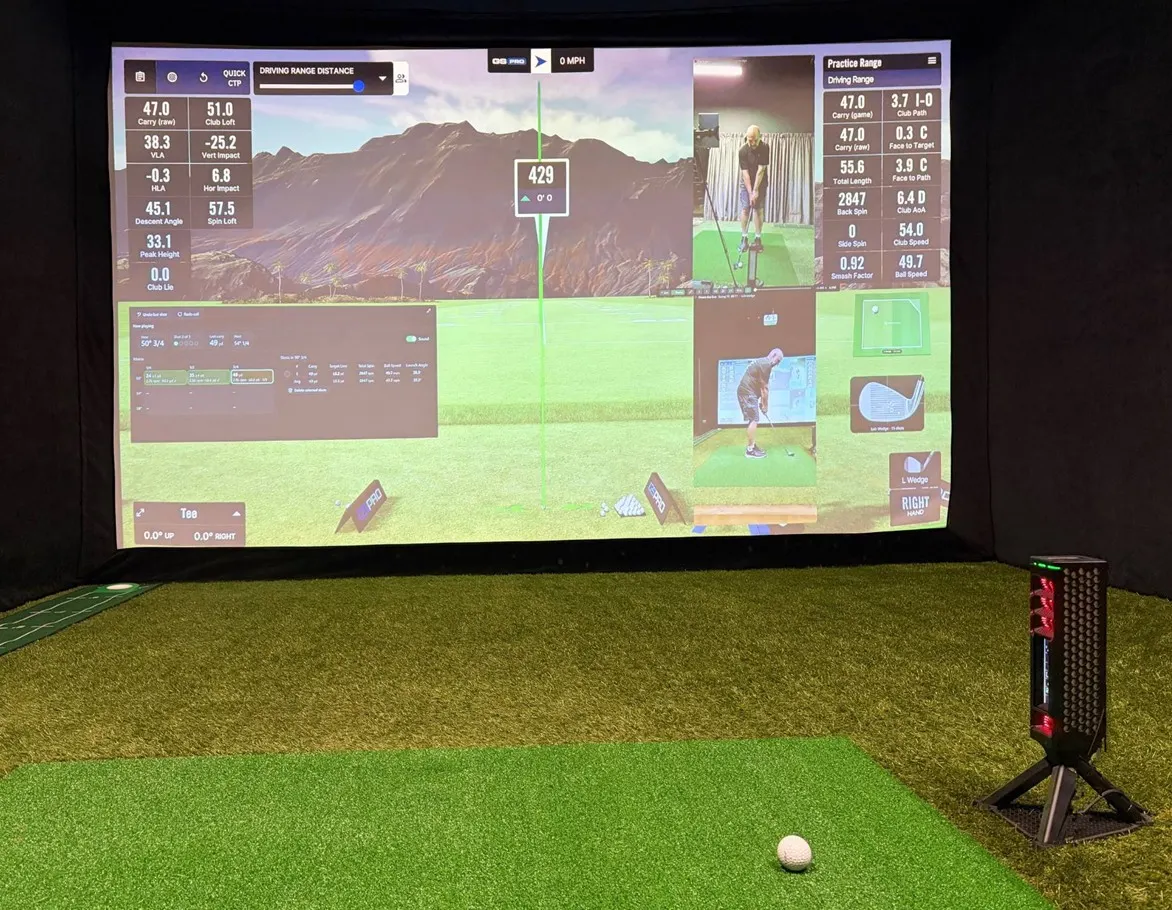
SwingDeck sits beside your sim and adds everything it's missing: instant swing replays, side-by-side swing comparison, shot data you can actually use, guided training and a remote in your pocket.
Email me when it’s outWorks with Square Golf Omni · GSPro · Muni Golf · PurePlay Golf · Square Golf
Play
Step up. Swing. SwingDeck does the rest.
Your launch monitor, your sim and SwingDeck, working as one. Everything you need while you play.
- Fits your setup. Let SwingDeck connect your launch monitor to your sim, or keep your sim's own connector and SwingDeck reads along.
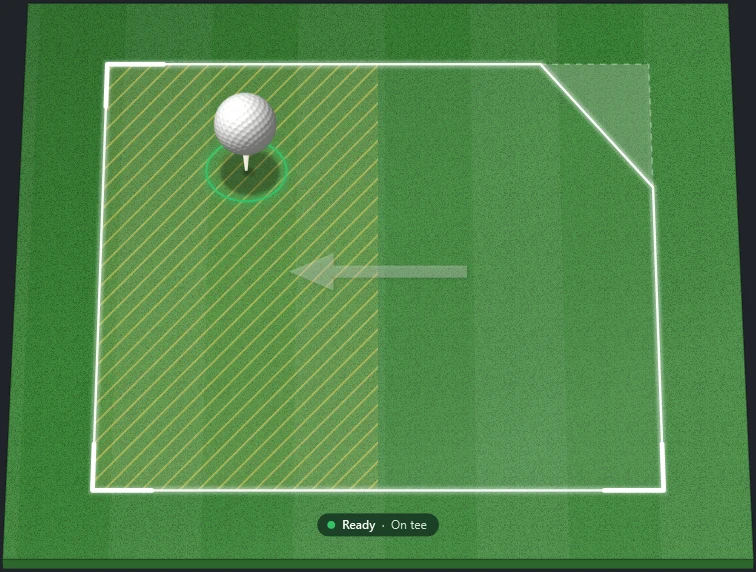
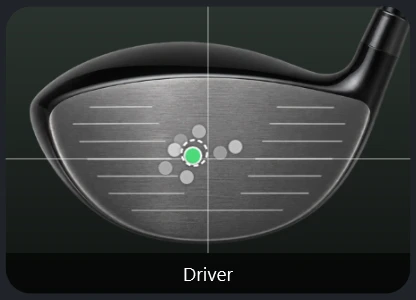
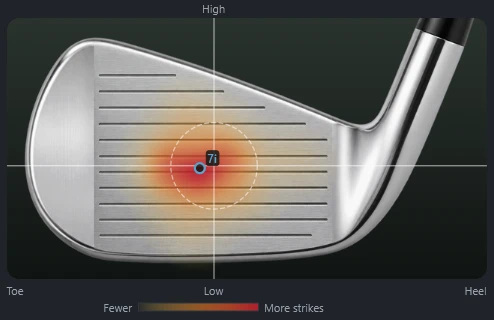
- See the ball. See your strike. Know you're teed up and ready before you swing, then see exactly where you struck the face.
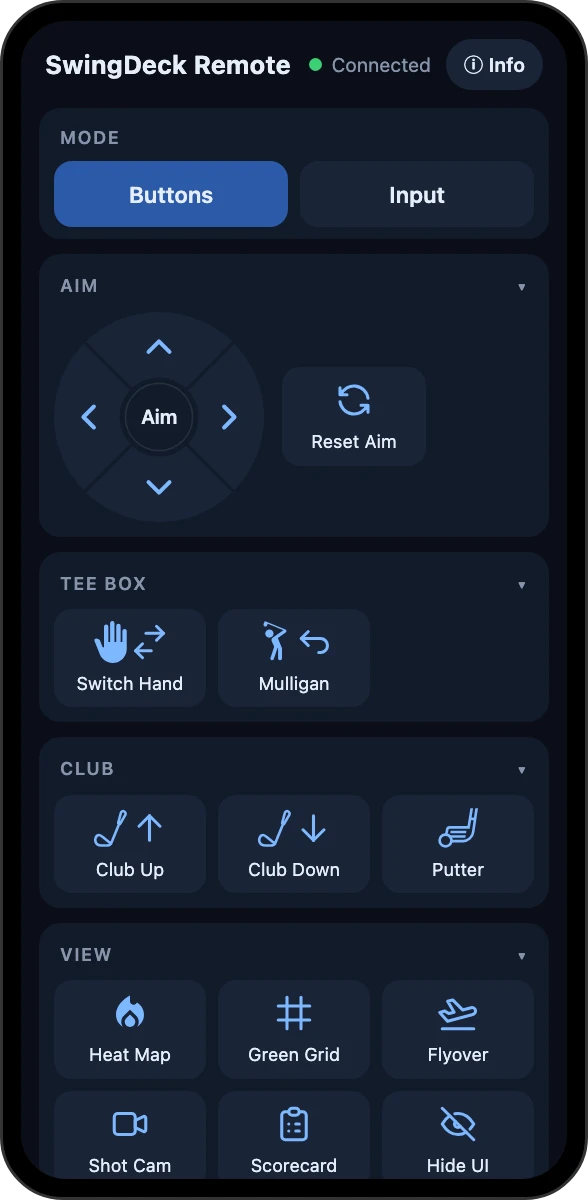
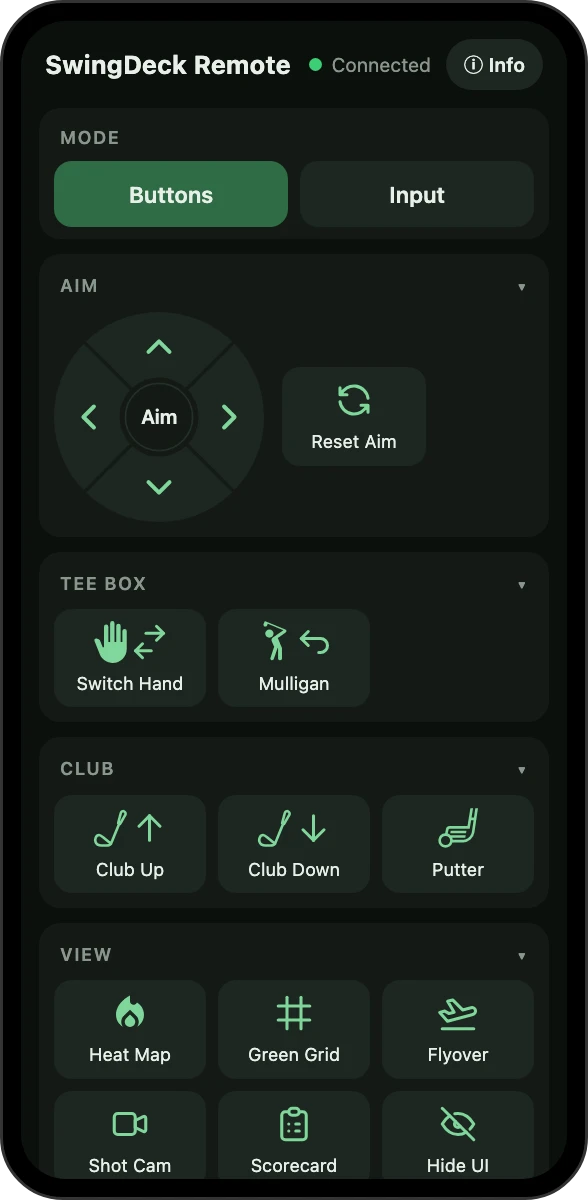
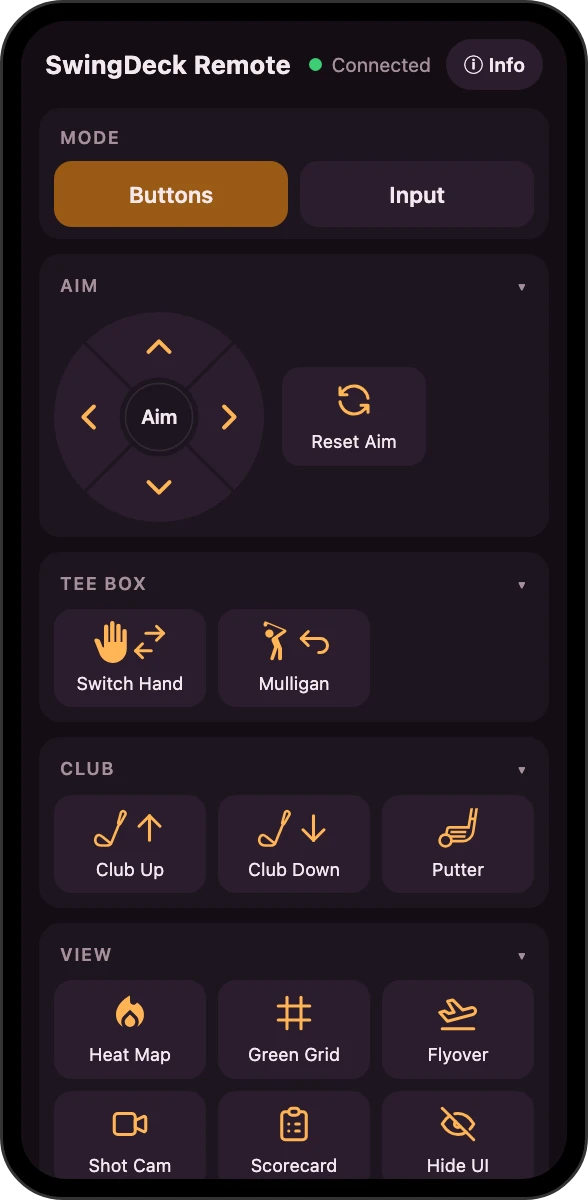
- Put the keyboard away. Your mobile device becomes a remote for your sim software: aim, change club and switch views without leaving the mat.
See
Instant replay. For every single swing.
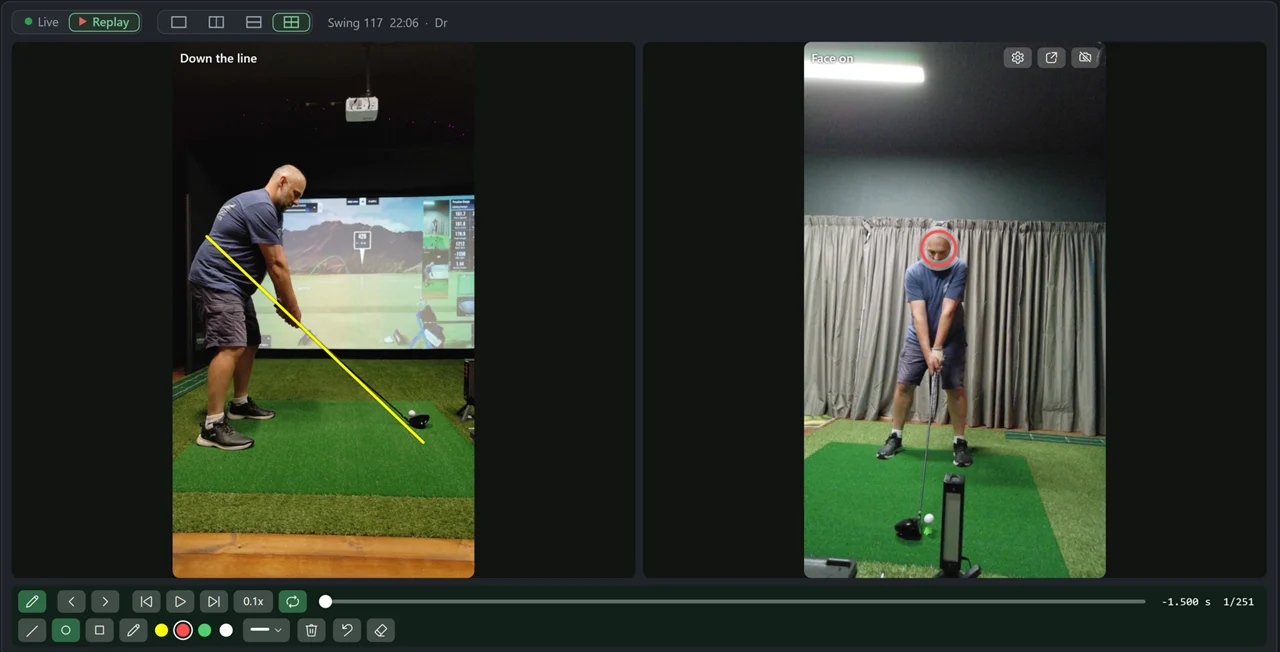
Point a mobile device or USB camera at your swing. Every shot comes back as a clip, cut right around impact.
- Up to three angles. Face on, down the line and the ball, playing in step.
- Slow it down. Draw on it. Then export it as a video with the shot's numbers on it.
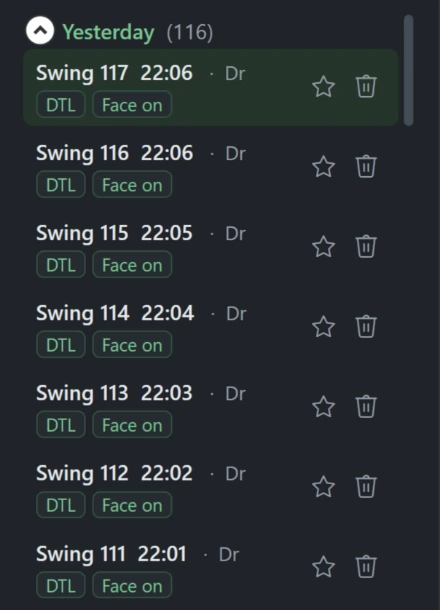
- Every swing kept. Find any clip by day or club, show just your session swings, and star the ones worth keeping.
Know
Know your numbers. Play your best.
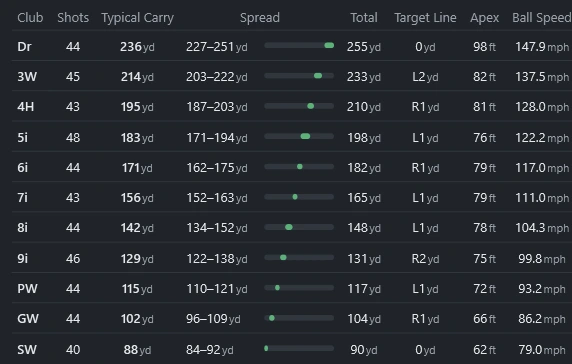
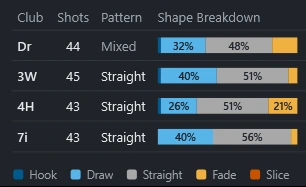
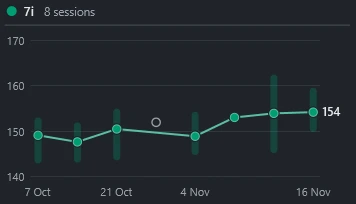
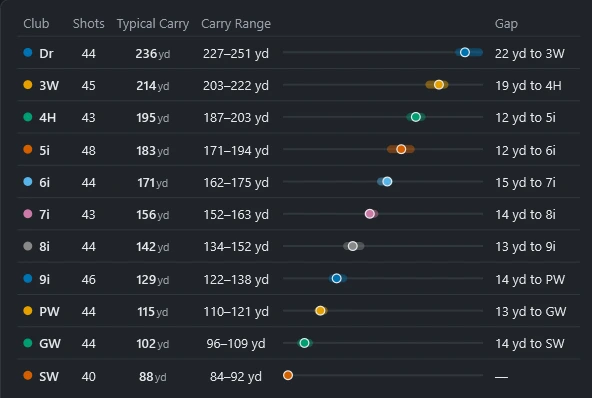
Start a session and hit. Every shot is kept under each golfer's name, and Insights turns them into answers.
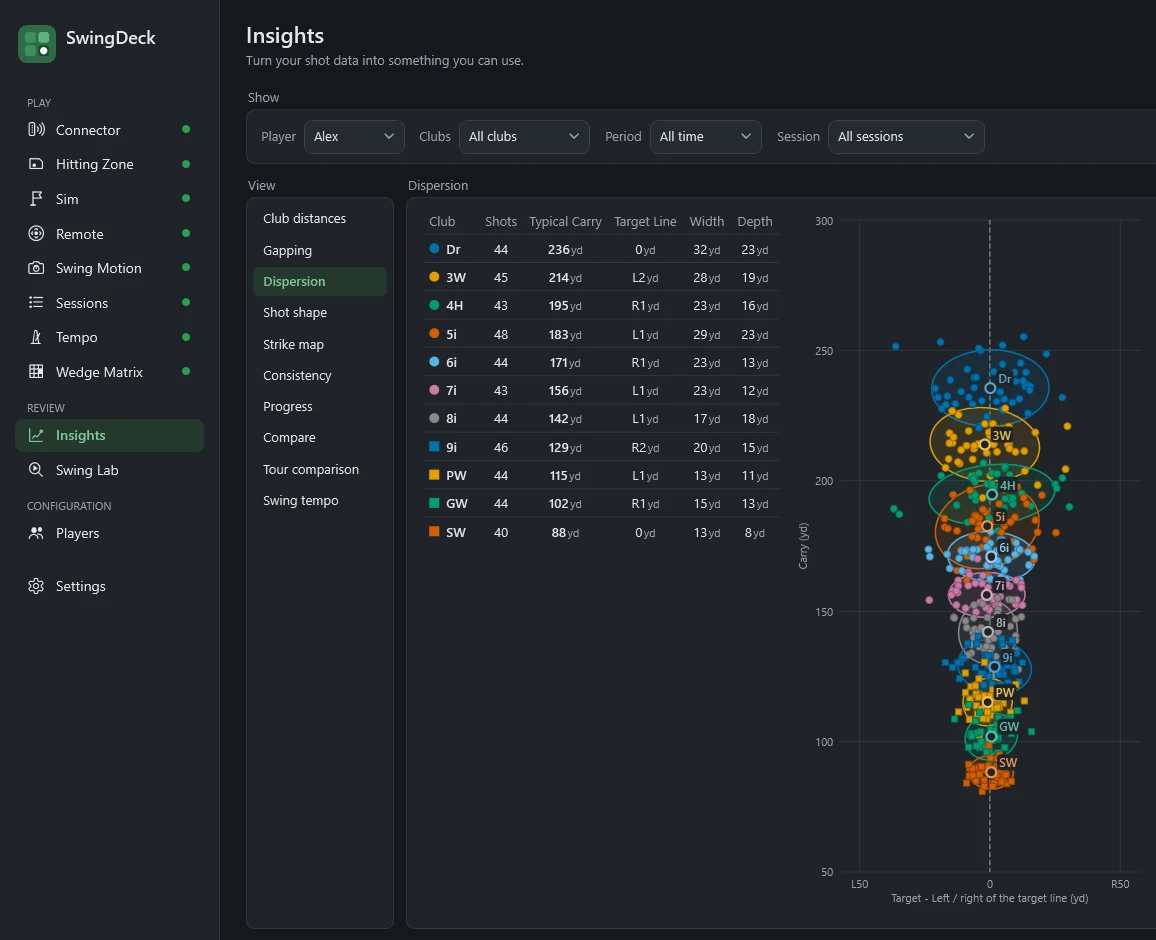
- How far each club really goes, and where the gaps in your bag are.
- Where it ends up, what your typical shot shape is and how consistent you are.
- Better than last month? Compare sessions, and even see how you stack up against the pros.
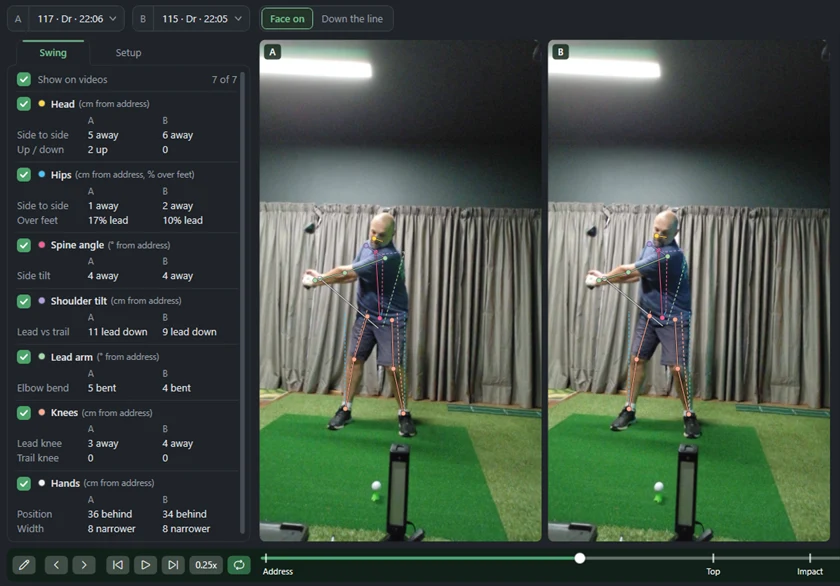
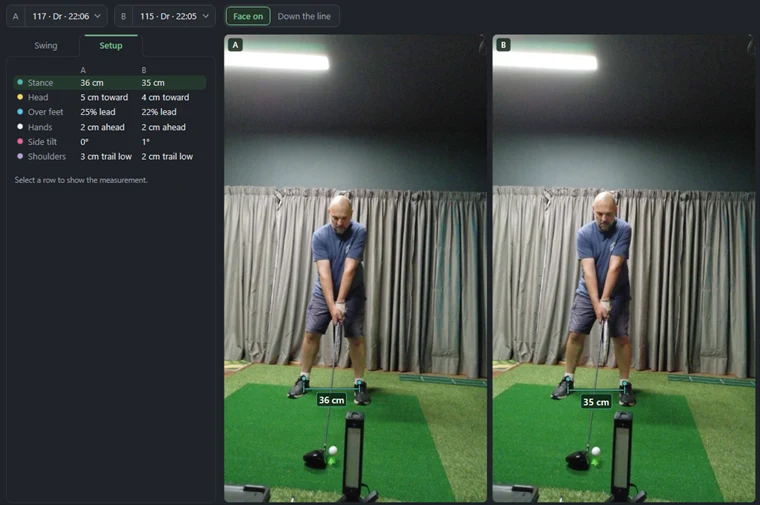
- See what changed. Compare two swings side by side, in step, with body measurements.
Train
Practise with a purpose.
Two guided drills that turn range time into something you can take to the course.
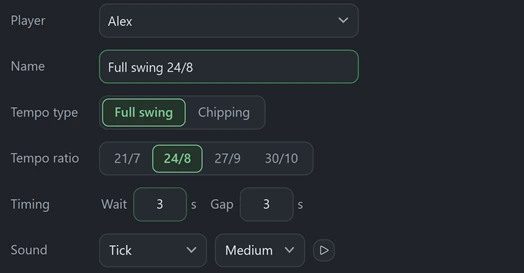
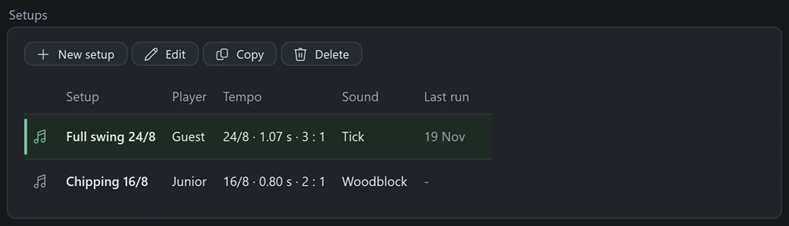
- Tempo. Swing to the tones. Make it repeatable. Three tones at a full-swing or chipping tempo.
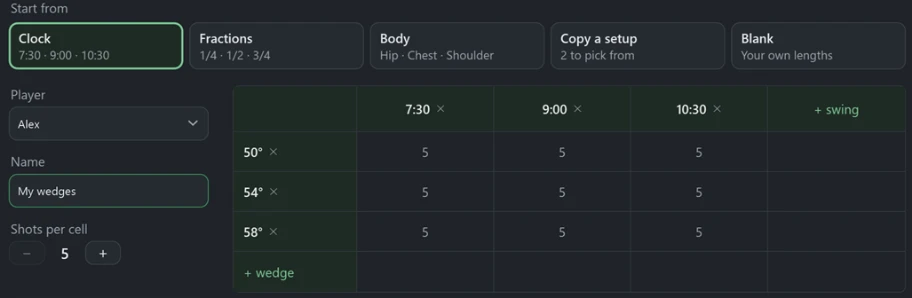
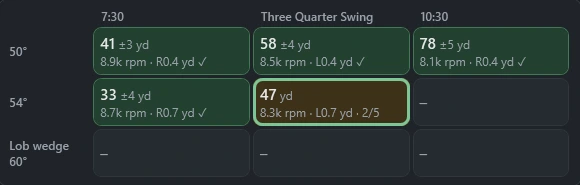
- Wedge Matrix. Know your carry for every wedge and swing length. Build it once and save it as a card.
- Watch it improve. Every golfer keeps their own setups and results, and Compare puts two Wedge Matrix runs side by side.


Extras
Also built in.
- PlayersAdd the whole family once; every shot stays under the right golfer.
- Your game stays homeNo account, ads or tracking. Shots, swings and clips stay on your PC.
- Back up or move PCOne file holds your shots, players, settings and training.
- Floats over your simMat, club face, cameras, tempo bar and the Wedge Matrix, wherever you want them.
- Light or darkPick a light or dark theme, or follow Windows.
- Ready when you areStarts with Windows and waits in the tray.
- Auto restart for GSProWhen GSPro's connector stops passing on clubs or shots, SwingDeck can restart it for you.
- A guided startWelcome, Insights and Tempo guides show you around.
- Export your shotsAs CSV, Excel or JSON, whenever you want them.
In your bay
Your bay, your layout.
Float the mat, club face, cameras, tempo bar and Wedge Matrix on top of your sim software, so you never look away from the screen.
- Any screen. The impact screen, a TV or a second monitor.
- Set it once. Size and place each window; SwingDeck remembers.
- Screen off? Bring every window back with one click.
- Done for the day. Dock all, and it's tidy again.
Price
One price. No subscription.
Everything included, with 7 days to try it free.
- Pay once. A lifetime licence, with no monthly fee.
- Every feature included. No tiers, nothing locked away.
- Free updates for life. Every update comes through the Microsoft Store, at no cost.
Opening special
$29.99lifetime
One payment. Try it free for 7 days first.
Email me when it’s outComing soon to the Microsoft Store
Quick questions.
What do I need?
A PC with Windows 10 (version 2004 or later) or Windows 11, a supported launch monitor (Square Golf Omni) and your sim software (GSPro, Muni Golf, PurePlay Golf or Square Golf) on the same PC. For swing replays, a mobile device or a USB camera.
Does it replace my sim?
No. It runs beside GSPro, Muni Golf, PurePlay Golf or Square Golf and adds what they don't do: replays, your shot history, insights and training.
Do I need to run GSPro in OpenAPI (Open Connect) mode?
No. SwingDeck also works with GSPro in Native mode, using GSPro's own connector.
Can my family use it too?
Yes. Add each golfer once on the Players page and pick who's playing. Every shot is kept under the right name.
Do I need an app on my mobile device?
No. Scan a code once and SwingDeck opens in the device's browser: any mobile device as a remote, and a recent mobile device as a swing camera.
Does it need the internet?
Not to play. Your PC and your mobile devices only need to be on the same home network.
Is there a subscription?
No. $29.99 (or your local price in the Microsoft Store), once, after a 7-day free trial. It's a lifetime licence, and every update is free.
More on the support page, or email support@swingdeck.golf.
Your sim, upgraded.
Play smarter, see every swing and know your numbers, in one app.
Email me when it’s outComing soon to the Microsoft Store
Or email support@swingdeck.golf with a question.